Skip to content

For owners of one gym

Coach the floor.Formwork keeps the desk.

Booking, memberships, credits and payments for one gym or studio — on your own domain and your own Stripe account.

Built with a HYROX-certified functional fitness gym in Connecticut as the first studio.

Front desk — to do

what the software did instead

  • text the waitlist

    done 5:58 pmThe freed spot went to the next person on the waitlist, and she got an email saying she is in. No staff action.

  • chase the no-show fee

    doneApplied on its own against your published policy, because you took attendance on that class.

  • answer “how many credits?”

    doneSearch her name: plan, credit lots, bookings and payment history on one screen.

  • tell her the card failed

    doneThe payment-problem email went out in your gym’s name and colors.

  • waive her late cancel — she had a reason

    yoursWaive it and the money is refunded, the credit comes back, and your note is kept.

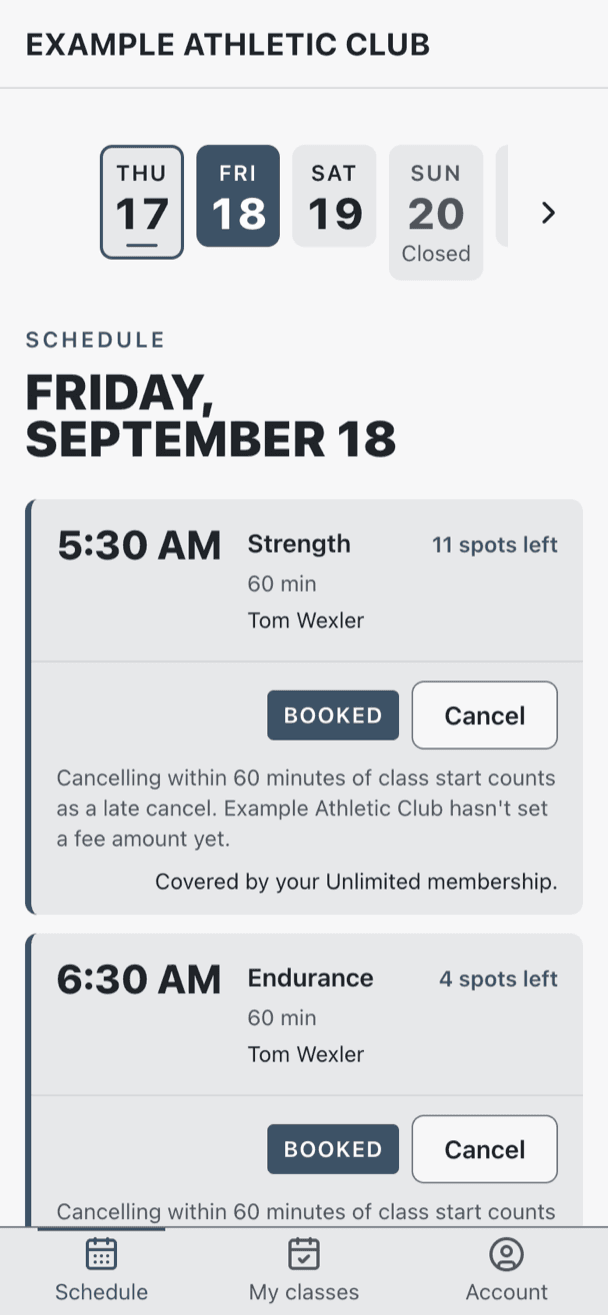
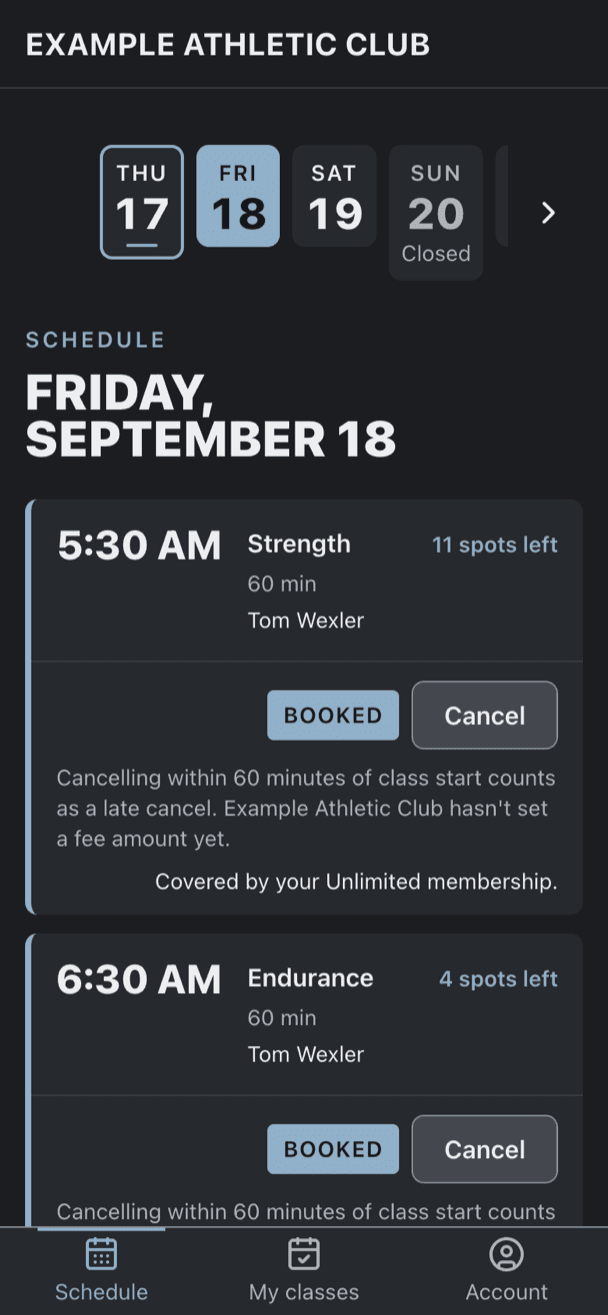
A phone-width class schedule showing a day strip, two classes with spots remaining, and both marked booked with a cancel button.A phone-width class schedule showing a day strip, two classes with spots remaining, and both marked booked with a cancel button.
What a member sees on her phone. Example Athletic Club is a demo studio set up for this page, not a customer.

While you were coaching

Tonight’s 6:30 pm

  1. A member cancels tonight’s 6:30 pm — inside the cutoff you published.

    Member
  2. Next on the waitlist is booked into the spot.

    Automatic
  3. She gets an email telling her she is in.

    Automatic
  4. Your late-cancel policy is applied to the member who dropped.

    Automatic
  5. You waive it, because she had a reason. That part is yours.

    You

Illustration of one real sequence. Every automatic line is behavior the software has today. Times are the gym’s local time.

What it does today

Three things off your clipboard.

This is the software as it exists, not a roadmap. What is still being built has its own list further down, so you are not told otherwise.

The desk

Booking, waitlist, check-in

Now

You are the waitlist. Someone drops the 6 am on her way out the door; you work out who is next, text her, and hope she reads it in nineteen minutes.

  • A freed spot promotes the next person on the waitlist with no staff action, and she is emailed that she is in.
  • Capacity is enforced by the database, so the last spot can never be sold twice.
  • Your weekly template becomes real, timezone-correct classes ahead of time.
  • Substitute a coach, cancel a class or a whole day, or add a one-off — without touching the template.
  • Members book and self-cancel against the cutoff you publish.
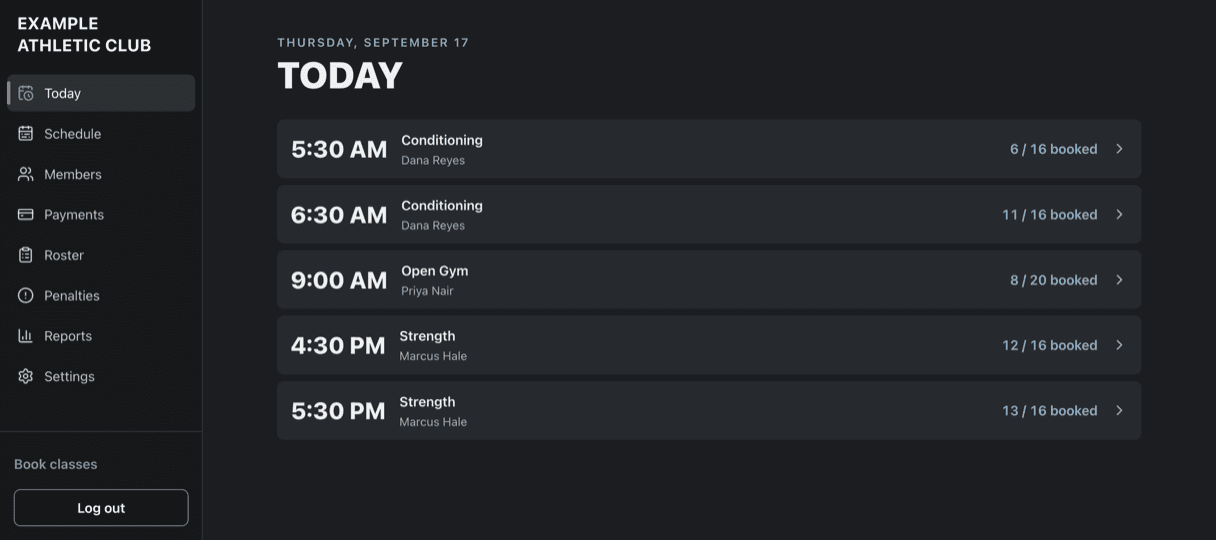
  • Today’s classes with capacity and waitlists, and one-tap check-in on each class roster.
  • Find any member by name, email or phone and see their plan, credit lots, bookings and payment history.
  • Your day in one place, on the same phone you coach with.
  • Add your coaches and staff by email as coach, manager or owner — each role only reaches what it should.
  • Reports for revenue, what your members’ unused credits are worth, fill rate, no-shows and intro conversion.
  • Export all your gym’s data as spreadsheets, any time.
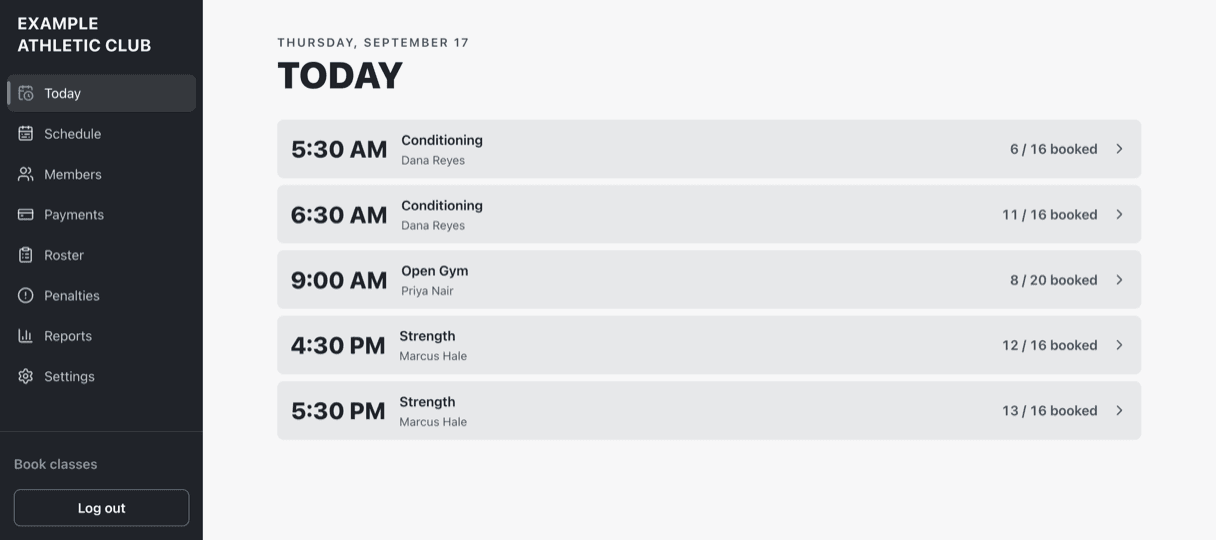
An owner's console showing today's five classes with coach names and booked-versus-capacity counts.An owner's console showing today's five classes with coach names and booked-versus-capacity counts.
What you see at 6 am: today’s classes, who is booked into each one and how full it is. Example Athletic Club is a demo studio set up for this page, not a customer.

The money

Your Stripe, credits, fees

Now

The fee nobody ever charges. Late cancels and no-shows pile up in a batch waiting for someone to click them. Most weeks nobody does — so the policy on your wall is not really your policy.

And at the desk: how many classes has she got left, when does the ten-pack expire, did that card ever go through.

On your own Stripe account

  • You are the merchant of record. Direct charges on your connected Stripe account; statements carry your name and money settles to your bank. This platform never holds a cent of it.
  • Cards saved for renewals and fees, with the member’s consent recorded.
  • Failed and disputed payments surfaced in one place.
  • Members change plan, cancel at renewal and replace their card themselves.
  • Drop-in purchases, and a one-per-person intro offer for first-timers that goes live once text messaging is set up.
  • Prices, sales tax, and first-responder and veteran discounts. Your plans themselves are set up with you during onboarding.

Credits in a ledger, not a number

  • Memberships, class packs and drop-ins.
  • Every credit lives in an auditable ledger of lots, not one number on a screen that somebody can fat-finger.
  • The oldest-expiring credit is always spent first.
  • Unused credits roll into a set expiry window instead of vanishing.
  • Cancel in time and the exact credit comes back.

Fees and waivers

  • Late cancels are applied automatically against your policy — and so are no-shows, for any class you have taken attendance on.
  • You set the cutoff and the fee, or run forfeit-only with no fee at all, and change it at any time.
  • Waive a charge when someone deserves the benefit of the doubt: the money is refunded, the credit comes back, and your note is kept.
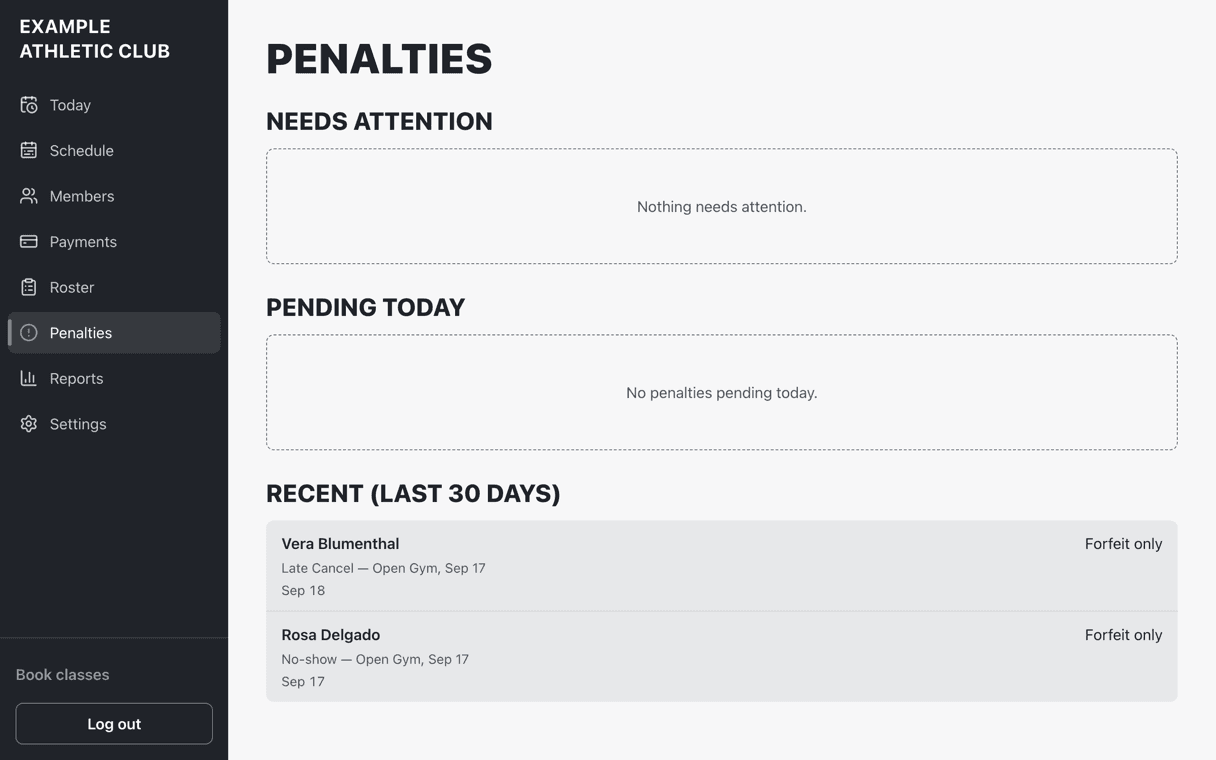
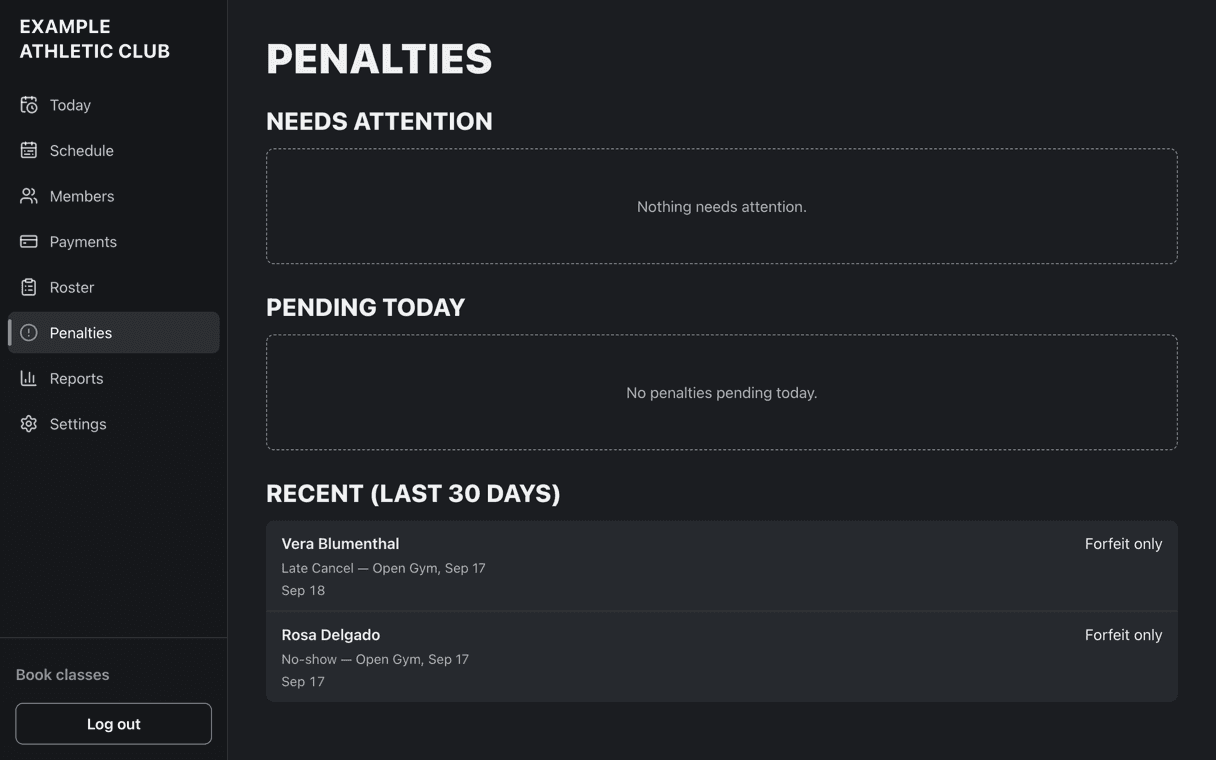
An admin penalties screen listing a late cancel and a no-show from the same day, each marked forfeit only.An admin penalties screen listing a late cancel and a no-show from the same day, each marked forfeit only.
The charges you did not have to run: late cancels and no-shows applied against the policy this gym published. This demo runs forfeit-only, so no money moves — the credit simply is not handed back. Example Athletic Club is a demo studio set up for this page, not a customer.

Your name

Your domain, your brand, the home screen

Now

Your members open an app with a vendor’s logo on it, at a web address that is not yours — and quietly, that is who they think they belong to.

  • Your own domain, not a shared portal with a studio code in the URL.
  • Your name and colors throughout, with no vendor logo and no “powered by” line.
  • It installs to a member’s home screen under your name and icon, with no app store in the way.
  • A landing page showing the real schedule.
  • Email for bookings, cancellations, waitlist promotions and payment problems, in your name and colors — sent from your own address once your domain is verified during setup.
  • Text messages are built and waiting on carrier registration, which we start during onboarding.

The screens on this page show the app before anyone sets a single brand color. Yours would carry your name, your colors and your web address.

Not built yetSaid here so you are not told otherwise.

  1. Full offline use. Screens already opened — the schedule, a member’s bookings, today’s rosters — stay readable if the gym wi-fi drops, but booking, check-in and payments still need a connection.

Before your first day on it

You talk. We set it up. You check it.

Setup is work we do, not a blank admin panel and a help article handed to you.

  1. Week 1

    A demo, and a look at what you run today

    Thirty minutes. Your schedule, your plans and prices, your cancellation policy, and every job your current tool leaves you to do by hand.

  2. Week 2

    Your gym is built out

    Your weekly class template, class types and capacities, plans, packs, drop-ins and policy settings are entered for you and sent back for you to correct.

  3. Week 2

    You connect your own Stripe account

    You onboard to Stripe yourself, in your own name. We never hold your credentials and never take custody of your money. Carrier registration for text messages starts here too, because it takes weeks, not days.

  4. Day 1

    Your domain points at your app

    Your members go to your address, sign in, and see your gym. You carry on in the console you were shown in week two.

Straight answers

What owners actually ask.

Who holds the money?

You do. Charges run as direct charges on your own Stripe connected account, you are the merchant of record, and funds settle to your bank on Stripe’s normal schedule. This platform is never in the path of your money and cannot hold it.

What happens to our existing data?

It comes across as onboarding work we do with you, not a button you press. We take an export from your current system, stand your gym up from it — members, plans, credit balances — and reconcile it against that export before anyone relies on the new numbers. Stored cards are the one thing that may not travel: whether your current processor will release them is the first thing we check, because it decides how the switch is sequenced.

Do members need to download an app?

No app store. It is a web app on your own domain — they open a link and sign in, and they can add it to their home screen with your name and icon on it. If the gym wi-fi drops, screens they have already opened stay readable, but booking and payments need a connection. Full offline use is on the not-built-yet list above.

What does it cost?

Talk to us. It depends on the size of your gym and how much has to be moved over, and it is a conversation rather than a table on a website. Card processing is Stripe’s own rate, billed by Stripe to you.

Who is it for?

A single-location gym or studio that sells memberships, class packs and drop-ins, runs a weekly class schedule, and has an owner doing administrative work by hand every week. It was built with a HYROX-certified functional fitness gym in Connecticut as the first studio.

How many gyms run on it?

One is being brought over now. You would be early, and you would get the attention that comes with that. If you want a vendor with a thousand logos on the wall, this is honestly not it yet.

No self-serve signup

Book a demo.

Tell us about your gym and you will get a reply personally, usually within a day. There is no sales team here — you are writing to the person who builds it.

Rather email? andy@epihealthsolutions.com

We use this to reply to you about a demo, and nothing else. No list, no sequence.